You can limit whether others can include your works in their collections using the methods below.
There are two ways to adjust this setting: you can either apply the setting to all your works at once or to each work individually.
1. Apply the setting to all your works
-
In the iOS app
Go to My Page > Settings > Include works in collections > select "Do not allow" to prevent all of your works from being added to other people's collections. - In the Android app
Go to Settings > Include works in collections > select "Do not allow" to prevent all of your works from being added to other people's collections.
Turning this setting off will not remove your works from collections they’ve already been added to.
To remove your work from an existing collection, see "How do I remove my work from someone's collection?"
2. Apply the setting to each work individually
When posting or editing a work, you can choose whether or not to allow it to be included in other people's collections.
To prevent inclusion, uncheck "Allow your works to be featured in other people's collections" at the bottom of the posting or editing page.
*You can change this setting for posted works via the desktop or mobile browser version of pixiv.
In the iOS app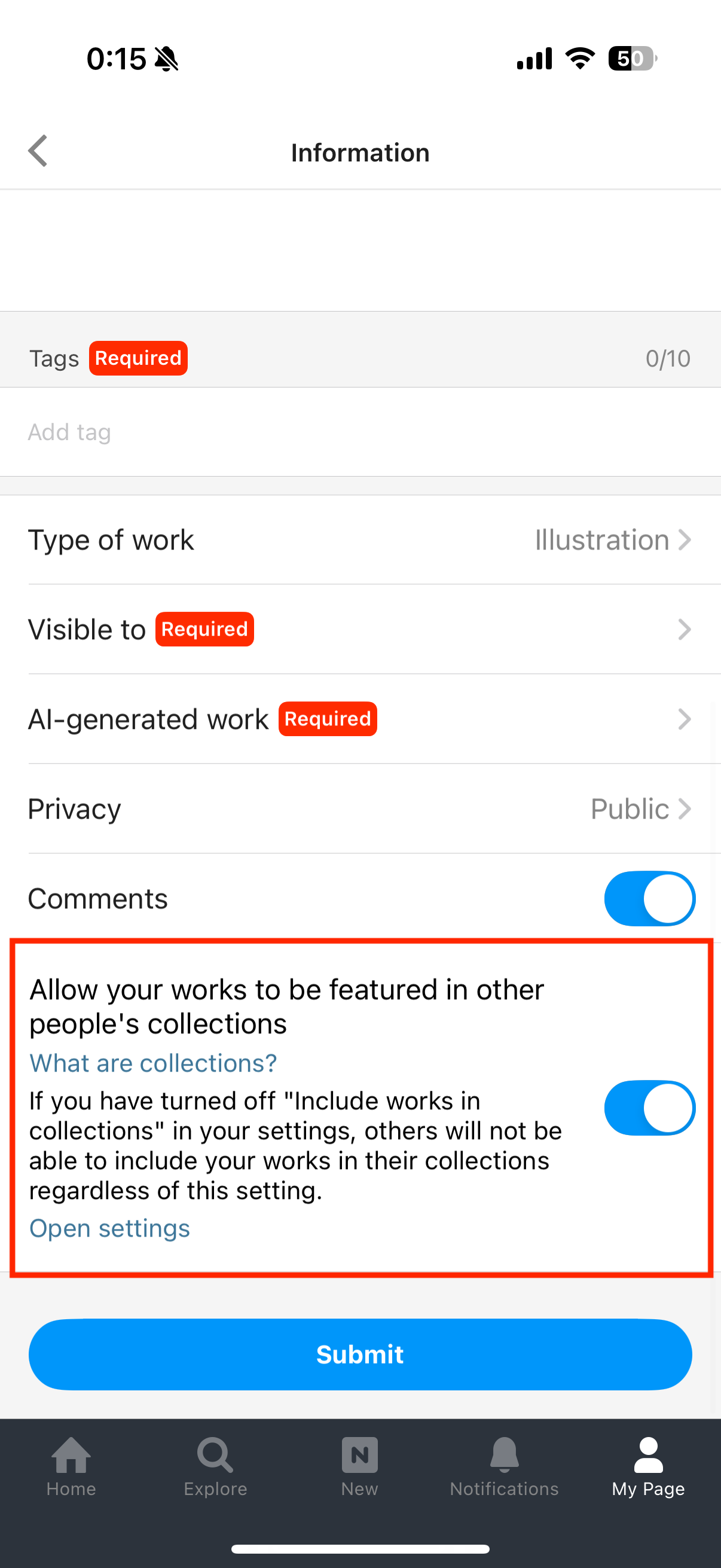
In the Android app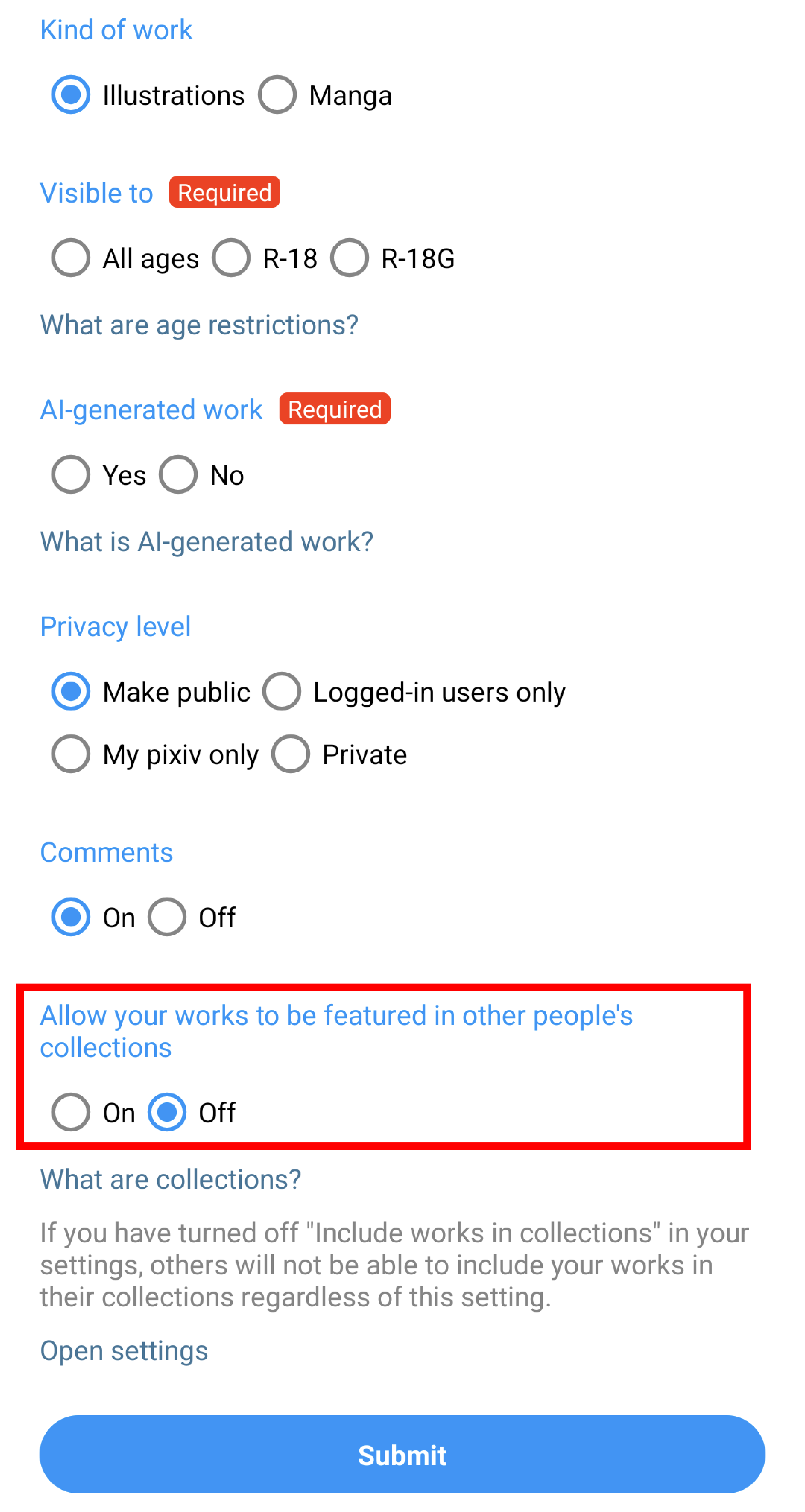
*Changing this setting will not remove your works from collections they’ve already been added to.
To remove your work from an existing collection, see "How do I remove my work from someone's collection?"
*You can still include your own works in your collections even if this setting is disabled.
*Regardless of your settings, accounts you have blocked will not be able to add your works to their collections. (The block feature is not available in the iOS app, so this restriction does not apply when using that platform.)
*Images are for reference only. The display and available features may vary depending on your device and app version."